Pick any color on screen in one click.
Press “Pick a color” and click anywhere. HEX is copied right away, and RGB or HSL is one more click.
- Free to use
- No sign-up
- Unlimited picks
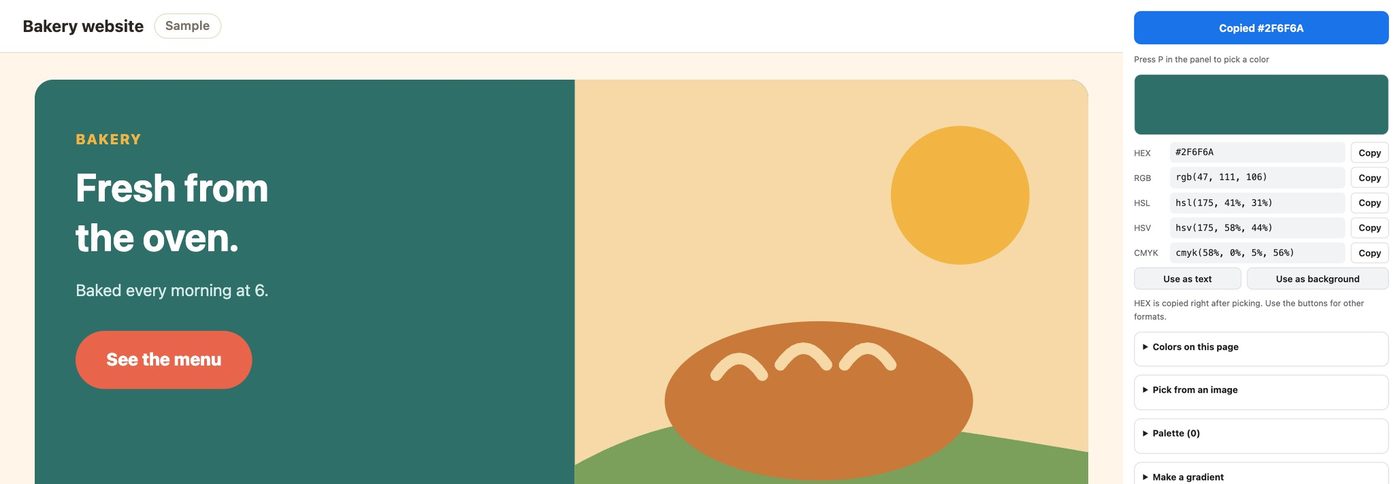
How it works
- 1
Click the icon
The side panel opens on the right, next to the page you are looking at.
- 2
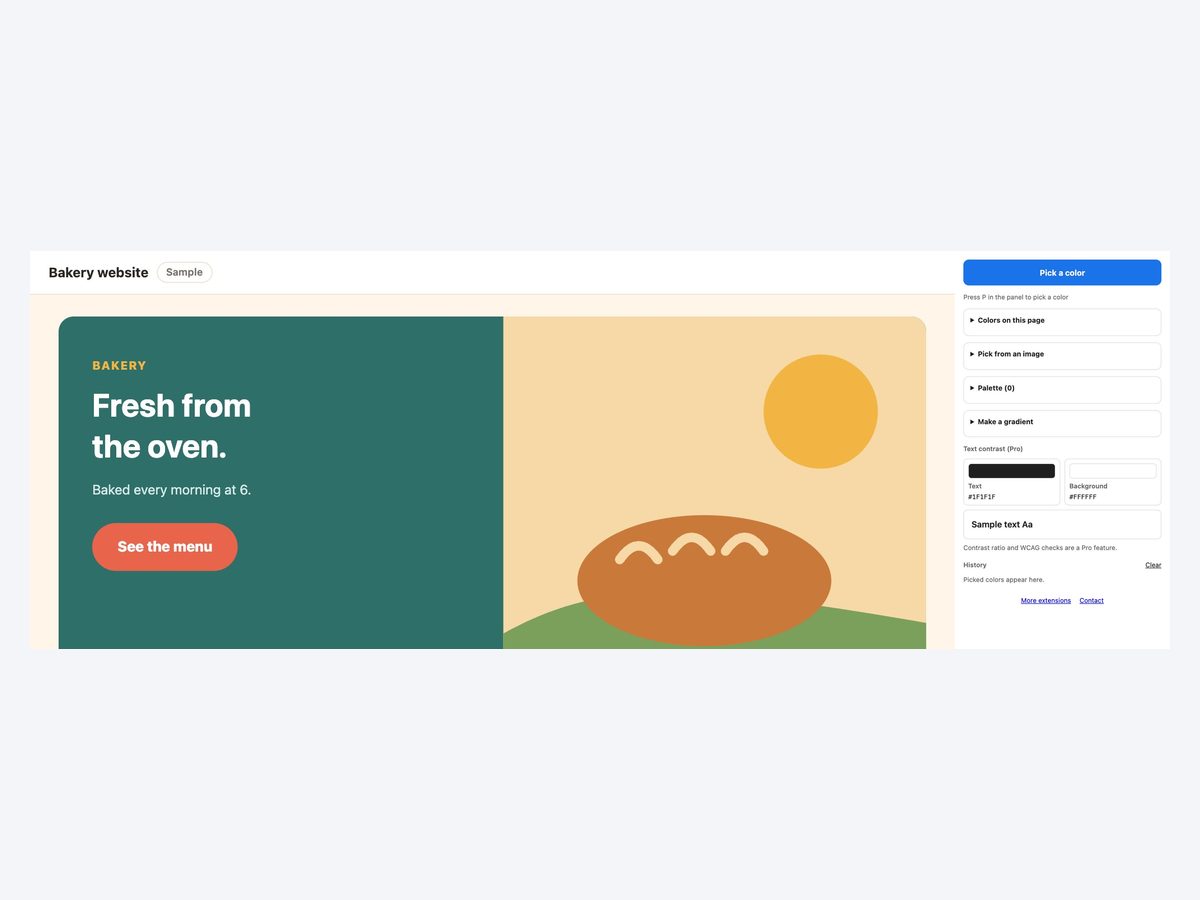
Press Pick a color and click anywhere
The color under your click appears, and its HEX is copied.
- 3
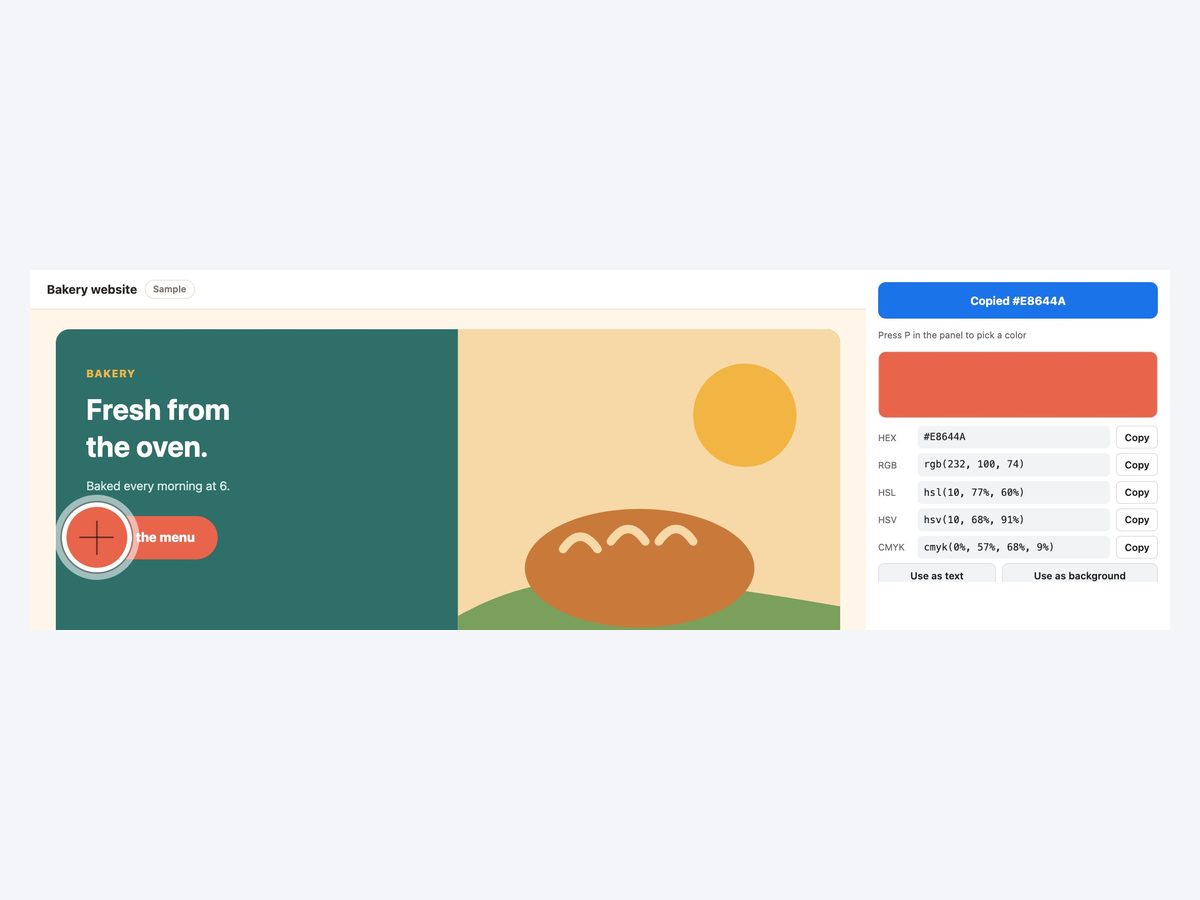
Paste it. It is saved to history
Copy RGB or HSL with a button. Picked colors stay in the history.
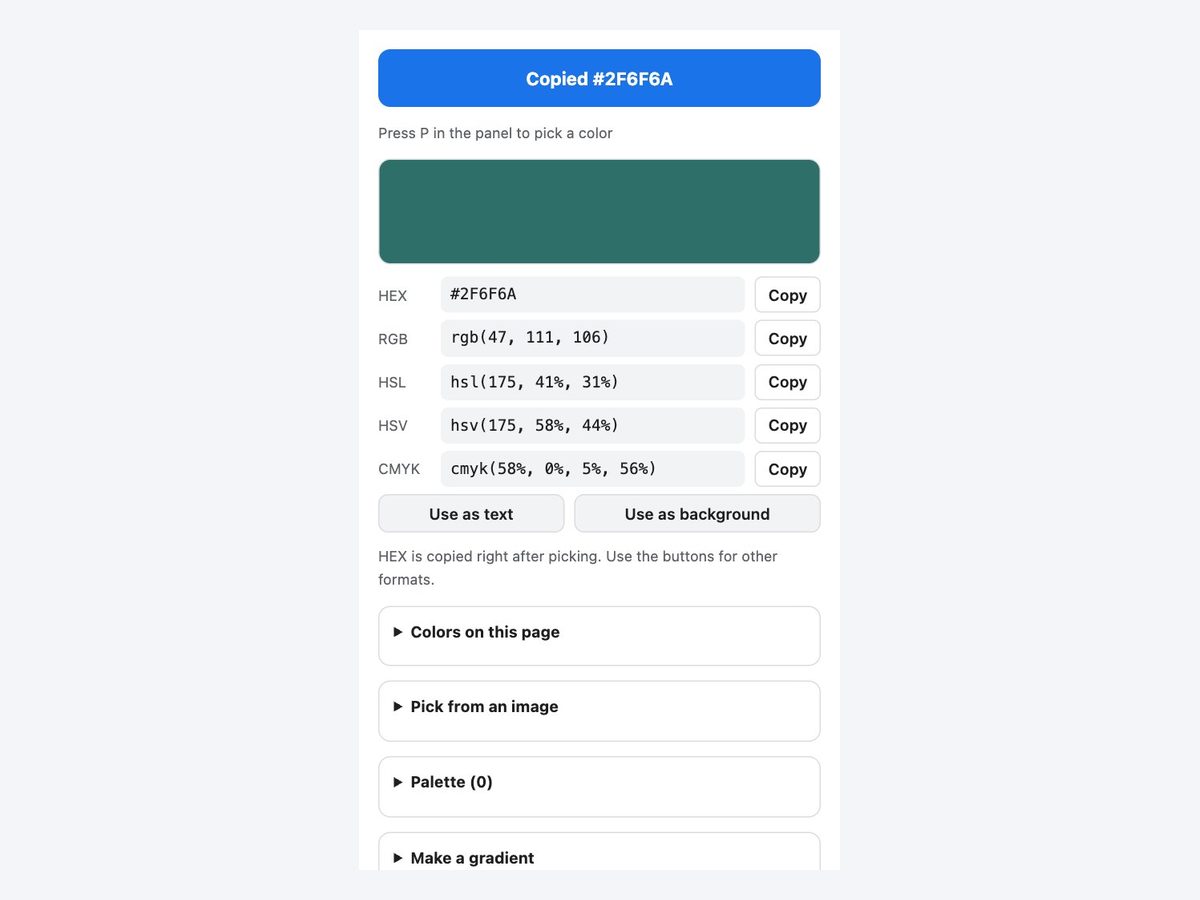
Everything you need to grab a color
Anywhere on screen
Not only web pages. PDFs and windows outside the browser too. Or press P.
Five formats
HEX, RGB, HSL, HSV and CMYK. HEX is copied the moment you pick.
Colors on this page
Background, text and border colors, largest area first.
Pick from an image
Open an image on your computer and click a spot.
Palettes and gradients
Keep colors and copy them as CSS variables. Pick two for a gradient.
Nothing is sent
Colors, history and palettes stay in your browser.
How it compares
| Screenshot and an image editor | Browser developer tools | This extension | |
|---|---|---|---|
| Effort | ×Capture, open, inspect | △Find the element | ◎One click |
| Colors in photos and images | ◯Yes | △Hard to find | ◎The pixel you click |
| Outside the browser | ◯If you capture it | ×No | ◯Yes |
| Formats to copy | △Depends on the app | ◯CSS values | ◯HEX, RGB, HSL |
It picks the color as shown on screen. Compressed images or semi-transparent layers may differ slightly from the original data.
Pricing
Free
¥0
- Unlimited picks
- Page colors, image picking, gradients
- History of 20 and a palette of 12 colors
Pro
¥980/month
or ¥9,800/year (2 months free)
- Unlimited history and palette, palette JSON
- OKLCH
- Contrast ratio and WCAG checks
Payment is handled by Stripe's Link. Cancel anytime.
The same ¥980 a month unlocks every extension we release
FAQ
What is free?
Picking colors is free with no limit, and so are page colors, image picking and gradients. History keeps 20 colors and the palette 12. Pro removes both limits and adds palette JSON export, OKLCH and contrast ratio and WCAG checks.
Can I see all the colors a page uses?
Yes. Press Colors on this page to list background, text and border colors, largest area first. The page is read only when you press it, and nothing is sent.
Can it pick colors outside the browser?
Yes. It uses the eyedropper built into the browser, so it can pick anything shown on your screen.
Is anything sent anywhere?
No. Colors and history are stored only in your browser.
How do I cancel a pick?
Press Esc while the eyedropper is active.
More extensions
 Full Page Screenshot HD
 YouTube Transcript Copy and Download
 Enter for New Line, Ctrl Enter to SendComing soon
 Split Screen for TabsComing soon
 Character Counter for JapaneseComing soon
 Copy All Tab URLs and TitlesComing soon
 Mobile View CheckerComing soon
 Broken Link Checker ToolComing soon
 Web Page to Markdown ConverterComing soon
 OGP CheckerComing soon
 Japanese Spelling Variant CheckerComing soon
 Heading Checker for SEOComing soon
- See all extensions