Every Google suggestion, in one click.
Type a keyword and press one button. Suggestions for your keyword plus a-z and 0-9 are listed in under a minute. From Google, YouTube, Amazon or Bing.
- Free to use
- No sign-up
- Works while you browse
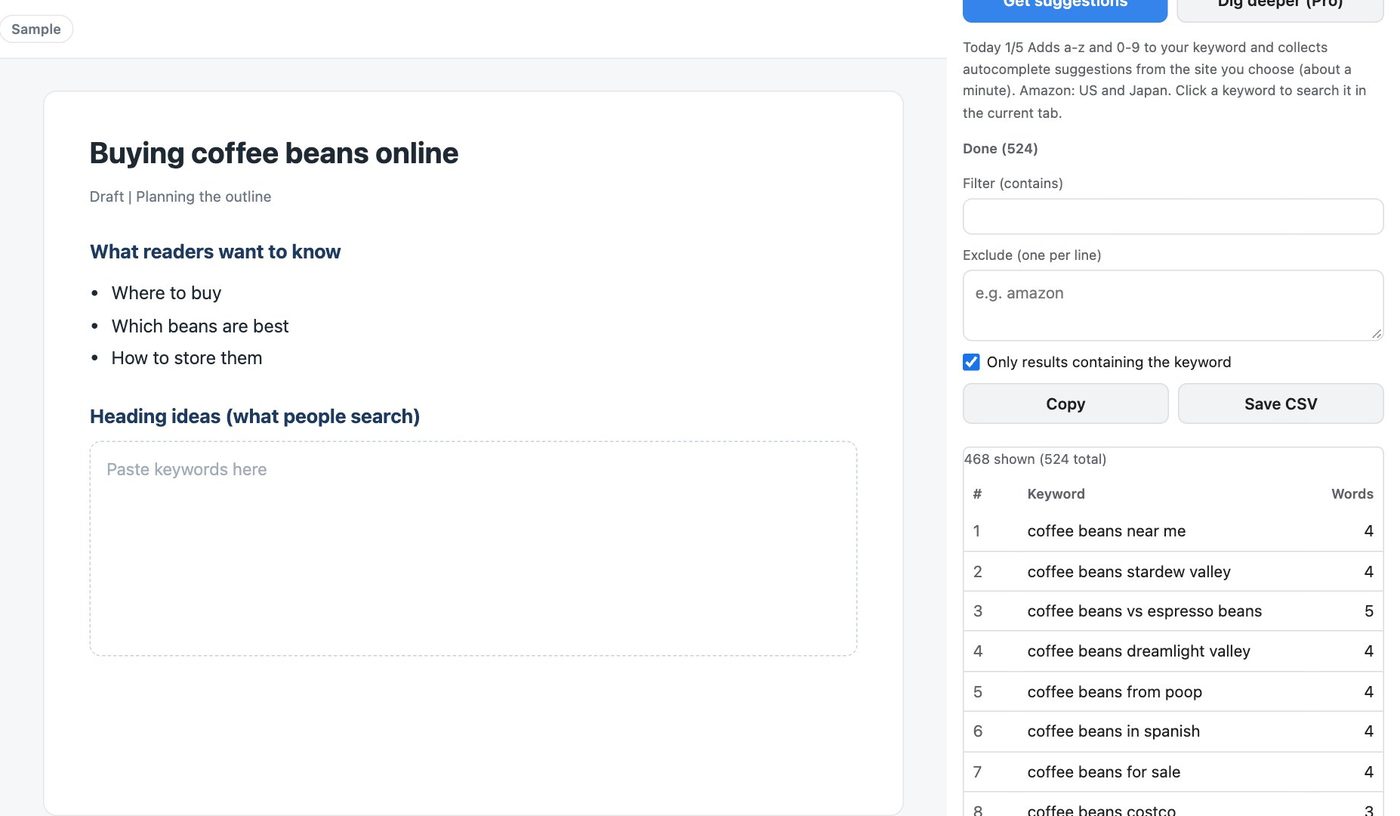
How it works
- 1
Click the icon
The side panel opens on the right, next to the page you are reading.
- 2
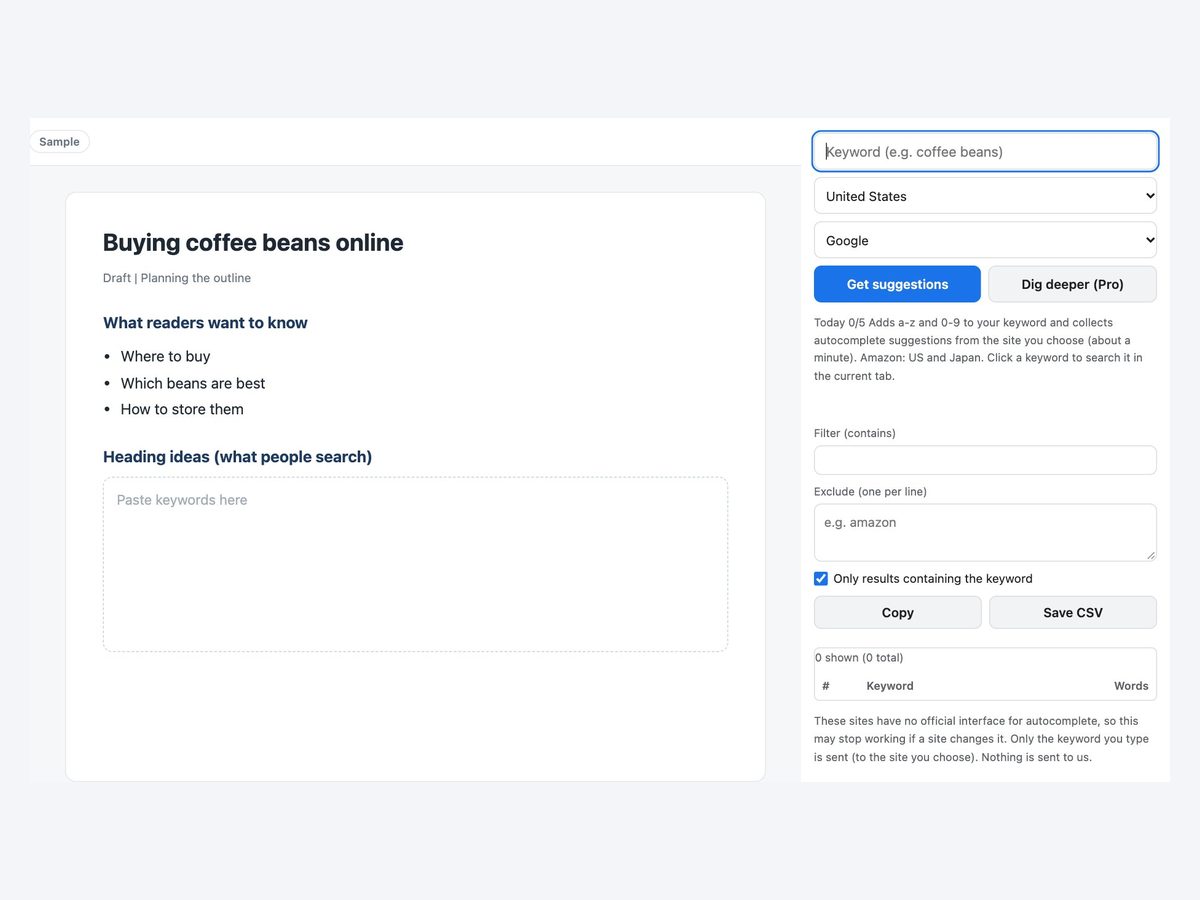
Type a keyword and press Get suggestions
It asks Google one request at a time for your keyword plus a-z and 0-9.
- 3
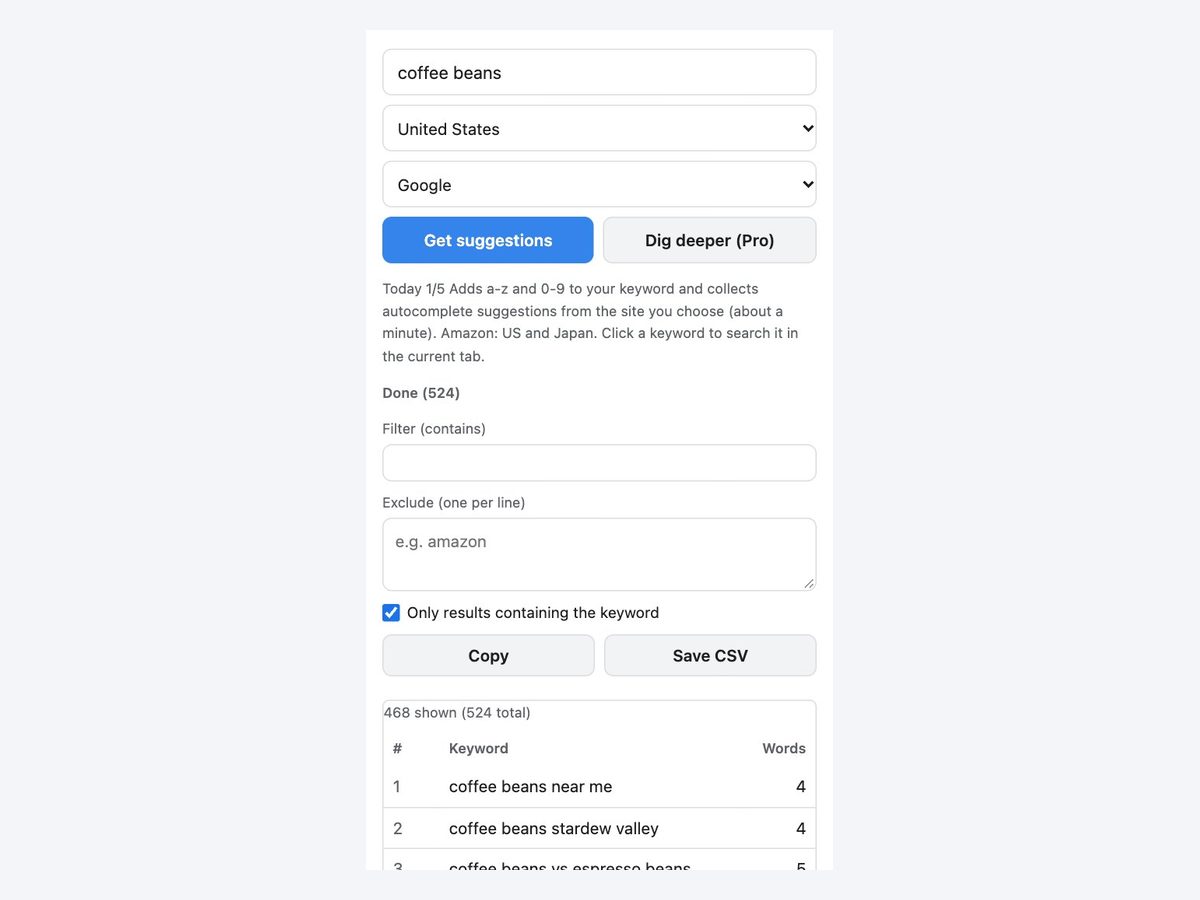
Filter, then copy or save CSV
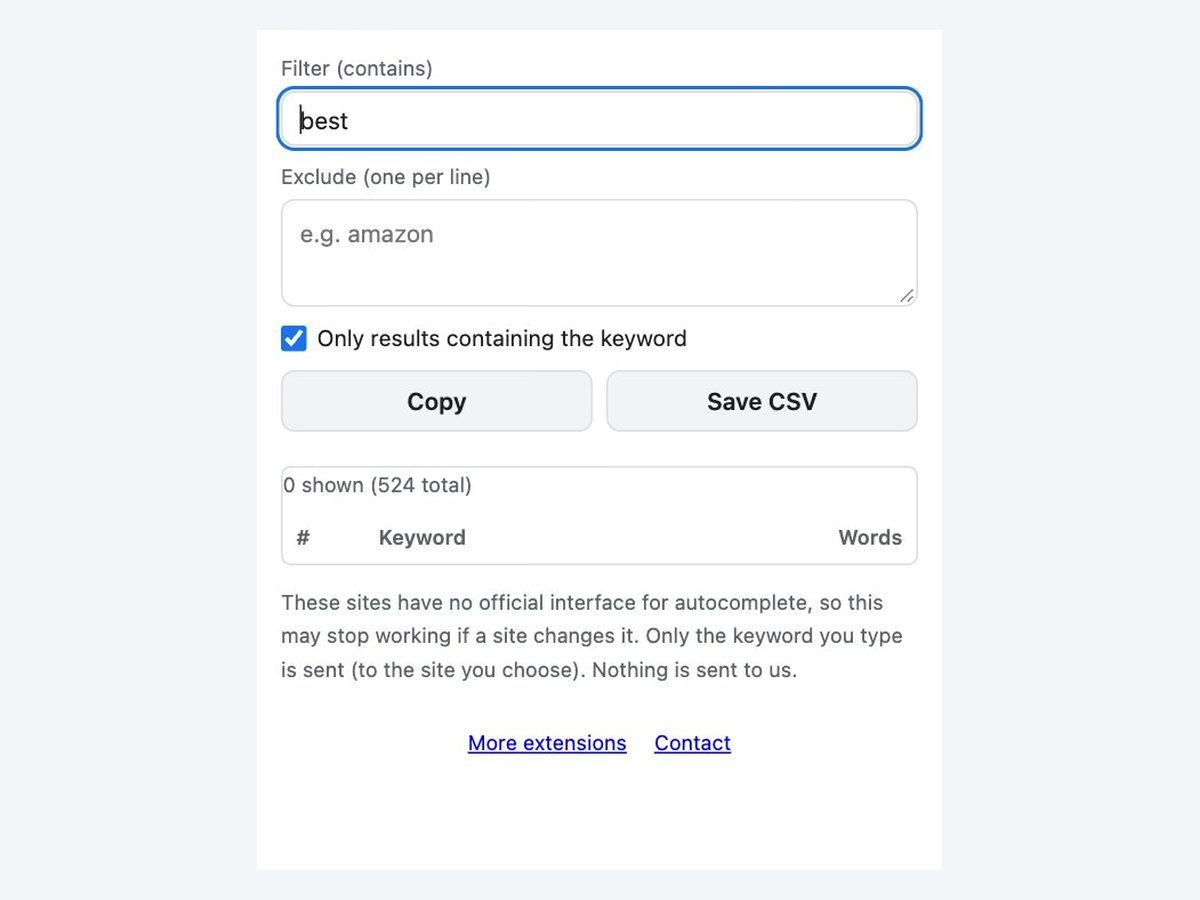
Filter by a word, exclude what you do not need, then copy or save as CSV.
Everything you need for keyword ideas
Choose the country
US, UK, Canada, Australia, India, Germany, France, Spain or Japan.
No duplicates
Identical suggestions are merged. Show only results that contain your keyword.
Filter and exclude
Filter by a word, and list words to exclude one per line.
YouTube, Amazon, Bing
Get suggestions from YouTube, Amazon (US and Japan) and Bing too. Great for video and product titles.
Save as CSV
Opens cleanly in Excel. Use it to plan your articles.
Japanese kana too
For Japan it also adds the 46 kana, finding suggestions English-only tools miss.
How it compares
| Typing by hand | Free web tools | This extension | |
|---|---|---|---|
| Effort | ×Type and copy one by one | ◯Open the site and type | ◎One button in the panel |
| Use while browsing | △Switch back and forth | △Switch tabs | ◎Right in the side panel |
| Filter, exclude, CSV | ×No | △Depends on the tool | ◯All free |
Every method shows which keyword combinations people actually search for. None shows search volume or rankings. To see volume, paste the keywords into a tool such as Keyword Planner.
Pricing
Free
¥0
- 5 runs a day
Pro
¥980/month
or ¥9,800/year (2 months free)
- No limit
- “Dig deeper” into long-tail keywords
Payment is handled by Stripe's Link. Cancel anytime.
The same ¥980 a month unlocks every extension we release
FAQ
Does it show search volume?
No. It finds the keyword combinations people actually search for. Check volume with another tool.
Can I get Amazon or YouTube suggestions?
Yes. Choose Google, YouTube, Amazon (US and Japan), Bing or Rakuten (Japan) as the source. Click a keyword to see that site's search results.
How long does it take?
Outside Japan it asks about 37 times, which takes under half a minute. The same keyword is cached for 24 hours.
Could it stop working?
Yes. None of these sites has an official interface for autocomplete, so a change on their side may break it. It stops right away if a site does not respond normally.
What is free?
5 runs a day (resets at midnight Japan time). Pro removes the limit and adds “Dig deeper” for long-tail keywords.
Is my keyword sent anywhere?
Only the keyword is sent, to the autocomplete service of the site you choose. Nothing is sent to our servers. Results stay in your browser.
More extensions
 Full Page Screenshot HD
 YouTube Transcript Copy and Download
 Enter for New Line, Ctrl Enter to SendComing soon
 Split Screen for TabsComing soon
 Character Counter for JapaneseComing soon
 Copy All Tab URLs and TitlesComing soon
 Mobile View CheckerComing soon
 Broken Link Checker ToolComing soon
 Web Page to Markdown ConverterComing soon
 OGP CheckerComing soon
 Japanese Spelling Variant CheckerComing soon
 Heading Checker for SEOComing soon
- See all extensions